
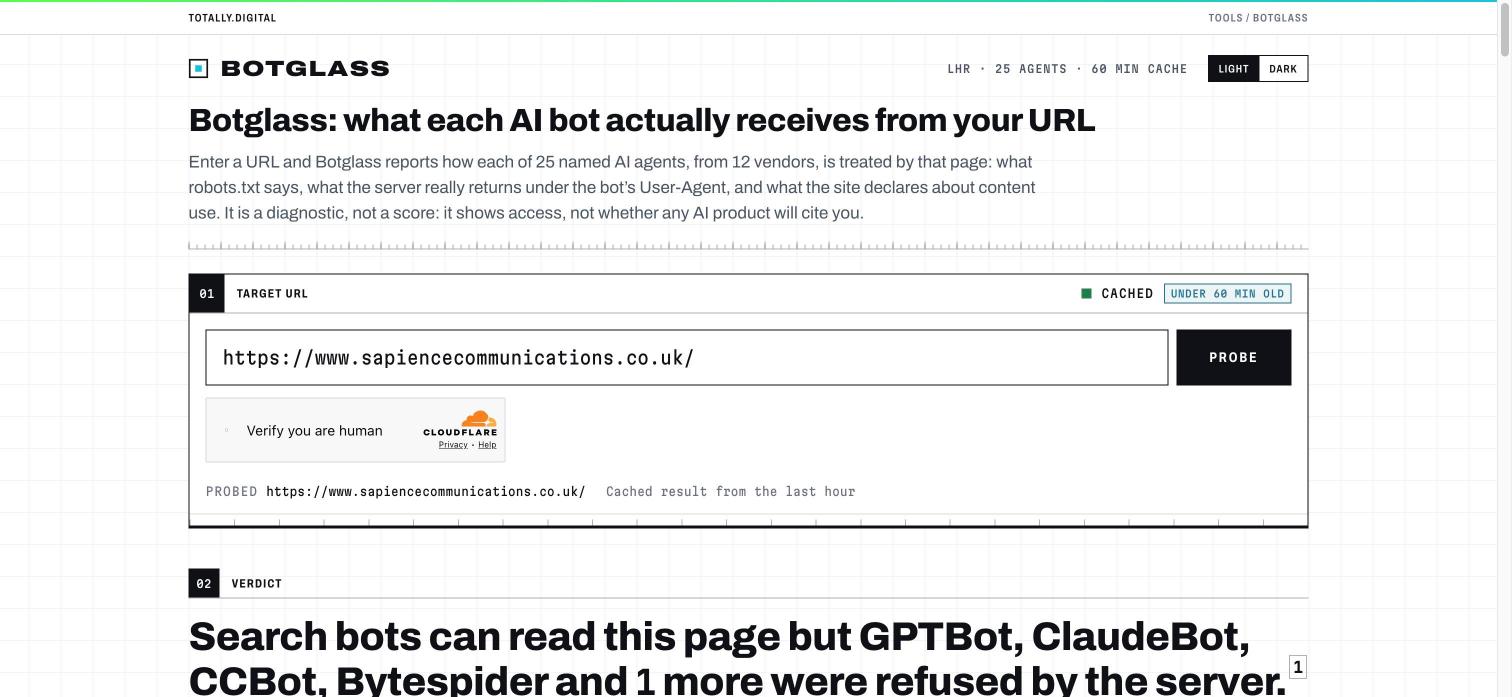
We built Botglass to close a gap we have been seeing across many different fetching tools that just attempt to emulate a single user agent. So, give Botglass a URL and it fetches the page as 25 named AI agents from 12 vendors, one by one, and shows you what each of them receives. It is free, it needs no sign-up, and it is a diagnostic rather than a score.
What it shows
For each agent, Botglass reports three things that usually live in three different places. What robots.txt says to that bot’s name, using the same matching rules the crawlers use. What the server really returns under that bot’s User-Agent: the status code, whether a firewall or bot-management challenge got in the way, and how many words came back. And how much of the page’s text only exists after JavaScript runs, which matters because most AI fetchers do not run it.
It also reads the newer declarations a site can make about AI use: Content-Signal and RSL licence lines in robots.txt, the aipref Content-Usage header, an llms.txt file, and whether the server will answer a request for Markdown. It reports them, and it says plainly that none of them has confirmed enforcement from any AI vendor yet. If you read our note on whether you need an llms.txt file, that position has not changed.
Visibility and training are different questions
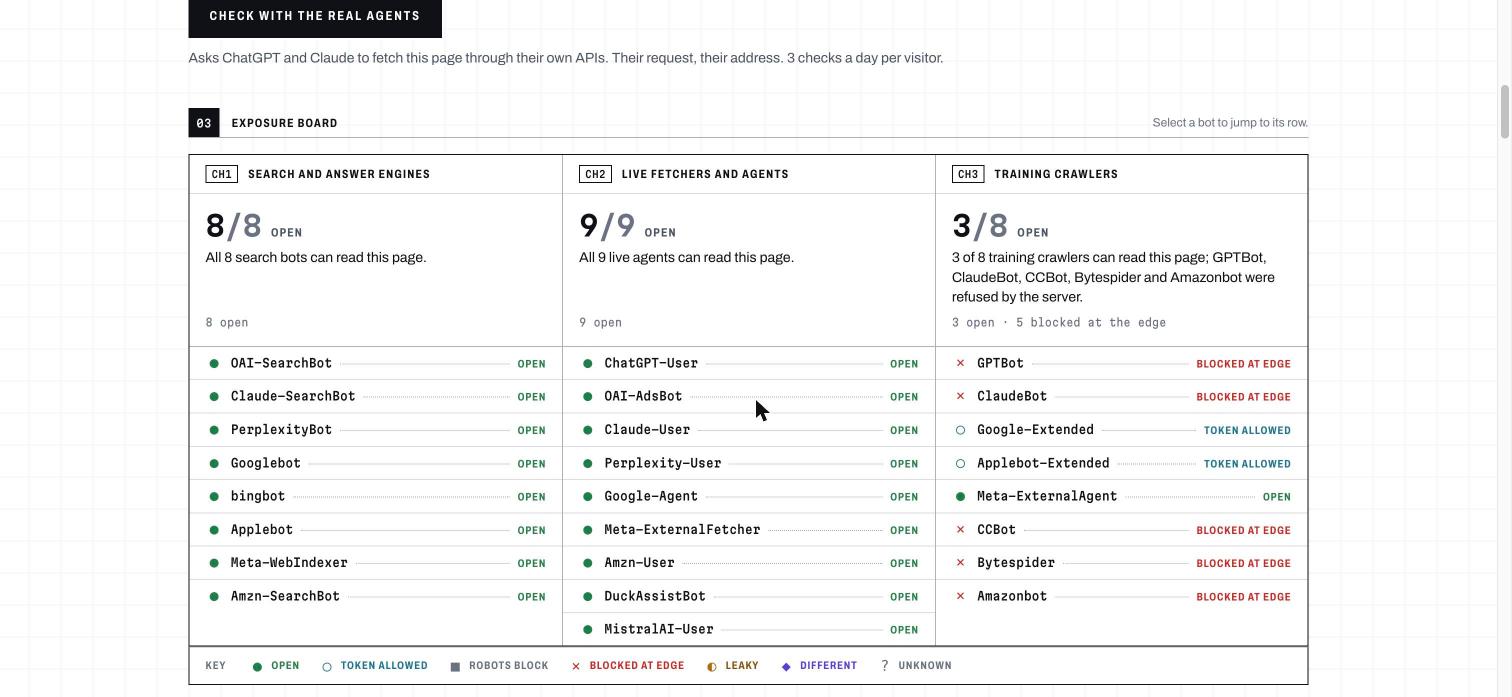
The most useful thing on the page is a pair of numbers under the verdict. One is visibility: how many search and live-answer bots can read the page. That is OAI-SearchBot and ChatGPT-User for ChatGPT, PerplexityBot and its live fetcher, Claude’s search bot, Googlebot, Bingbot and the rest. If those are blocked, the page cannot be read or cited in an AI answer, whatever else is true.
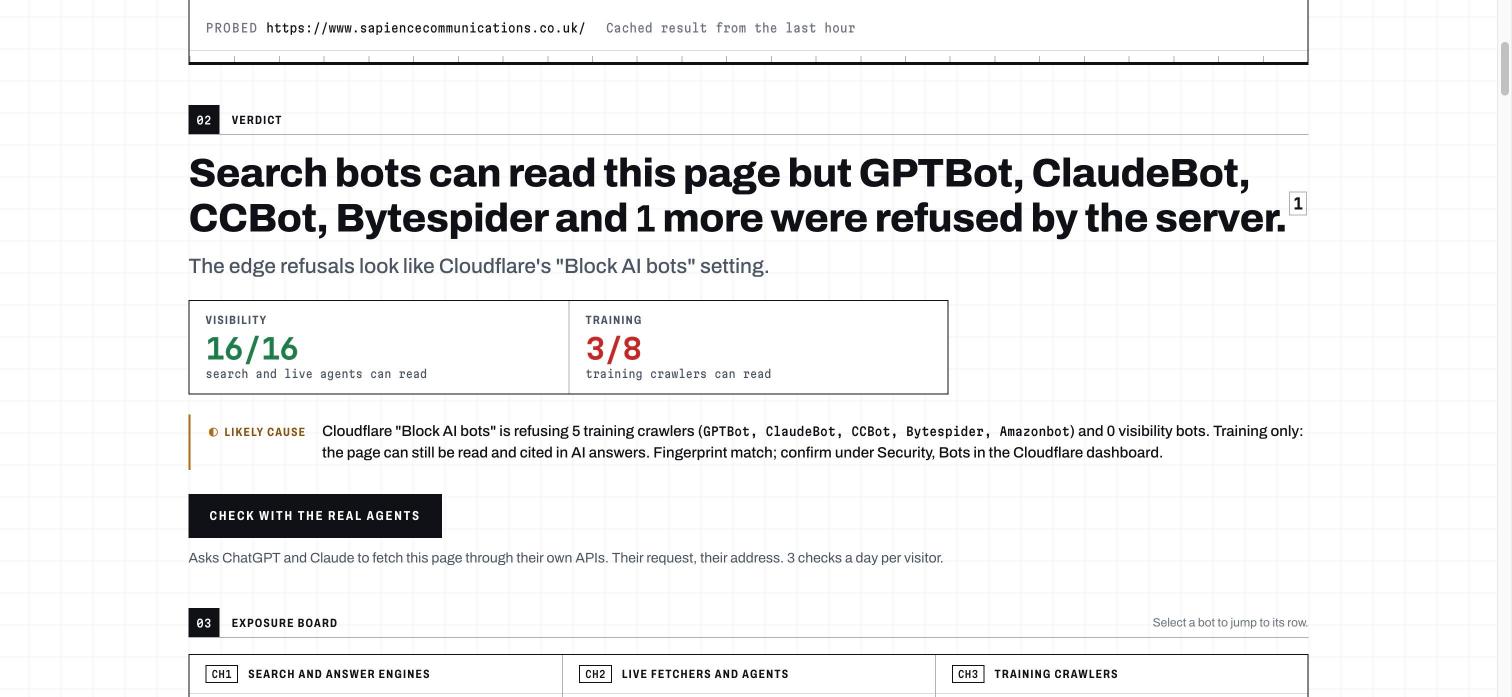
The other is training: GPTBot, ClaudeBot, Common Crawl, Bytespider, Amazonbot. Blocking those is a legitimate choice. It stops your content being used to train models, and it costs you nothing in AI answers today, because the answer engines use different bots.
Sites conflate the two all the time. Some block everything and wonder why they never appear in ChatGPT. Some allow everything because they want to appear, and feed training runs they would rather not. The split lets you make each decision on purpose.
The setting that may have decided for you
Back to that client. Those five crawlers all came back with a 403, served at the edge in a few milliseconds, with a four-word body: “Your request was blocked.” That is the stock response of Cloudflare’s “Block AI bots” setting, which new Cloudflare sites got by default from July 2025. In September 2026 Cloudflare replaced that switch with separate controls for search, training and agents, and dropped the blanket block for new sites. That change does not tell you what your own site is doing: this client’s was still refusing those crawlers in November.
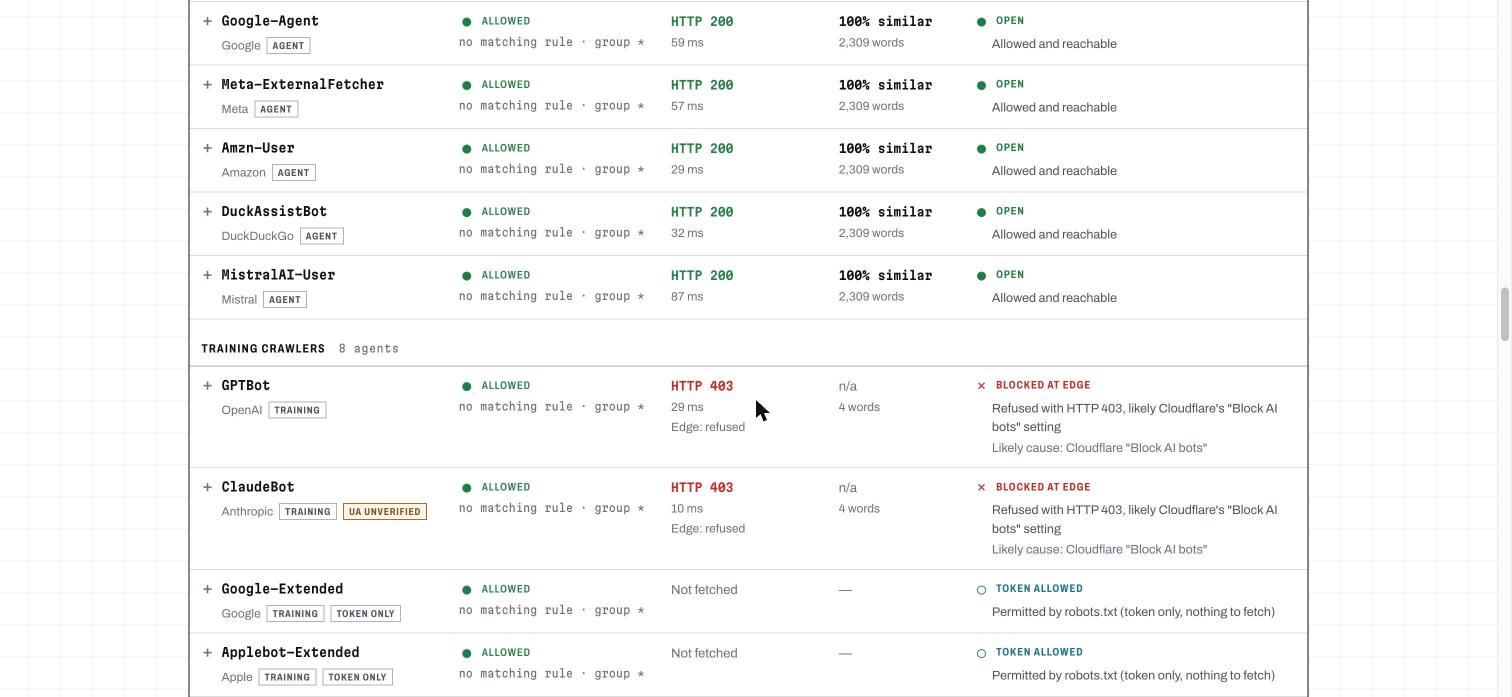
Botglass recognises that response and names it as a likely cause, with the caveat that it is matching a fingerprint, obviously not reading your Cloudflare account. In this case the block covered training only, so the site stayed citable. On plenty of sites it will not be that tidy, and the first anyone knows is a client asking why they are missing from an answer.
If you use Cloudflare, the controls are now under Security, then Settings, as AI Crawler and Agent access policies. You set an action for search, agents and training separately, so you can keep the search and answer bots and decide on training by itself, which is usually the decision people actually want.
What 160 sites actually do
Before trusting any of this we ran the tool across 160 sites: 50 large domains and 110 UK business homepages taken from the top results for local searches, from our server and again from a home connection. On half the sites every bot was welcome. On a third, the site treated different names differently, which is the case the tool exists for. Under 2% blocked every name regardless, and the two vantages agreed within a point on every number, so where you fetch from barely matters.
Three findings stood out. The fake Googlebot was challenged on 5% of UK business sites and 19% of large ones, so spoof detection is a big-site habit rather than the norm. On UK business sites, 36% blocked at least one training crawler but only 11% blocked any search or answer bot, which is the visibility-versus-training split in the wild. And Bytespider, ByteDance’s crawler, was blocked at the edge on 31% of sites, three times any other name, while almost nobody mentions it in robots.txt.
What the tool cannot tell you
Botglass sends each bot’s User-Agent from its own server, not from the vendor’s address range. Bot management that verifies crawlers by IP may treat the real Googlebot differently from what the tool sees, and the page says so. It fetches one URL, once, as a browser and then as each bot, so describes a moment in time from a specific location. Whether a given AI bot renders JavaScript comes from independent testing rather than vendor documentation for most of them.
Those limits are on the page itself, in the notes under every result, because a diagnostic you cannot trust the edges of is worse than none.
What to do with it
Run your homepage and your three most important pages. Look at the two numbers first. If visibility is short of the total, open the agent table and read the reason for each blocked bot: a robots.txt rule you wrote years ago, a firewall rule, or a CDN default. If training is open and you would rather it were not, that is a robots.txt change and a CDN setting, and now you know which bots it needs to name.
Then press “Check with the real agents”. That asks ChatGPT’s and Claude’s own fetchers, through their public APIs and from their own addresses, to read the page, and shows their answers next to Botglass’s. It is the one way to know what those two actually received, and it costs us money per check, so it is capped.
Frequently asked questions
Does it crawl my site? No. One URL, plus its robots.txt and llms.txt. It does not follow links, it spaces requests out, and it caps how often any one site can be checked.
Why does Googlebot show as challenged on my site? Because the request did not come from Google. Your firewall is probably working. Use the live test in Search Console to check the real Googlebot.
Will blocking training crawlers hurt my rankings? Not in Google or Bing, which use their own crawlers. It also does not stop you appearing in ChatGPT or Perplexity answers, which use their search bots.
Does it keep my data? It logs the host you checked and a hashed visitor address, and holds each result in memory for an hour so repeat checks are instant. Nothing is stored beyond that.
Where we can help
If the numbers are not what you expected, the fix is usually small and the decision behind it is not. Our GEO and AI search service covers both: what each AI system can see of you today, and what you want it to.